

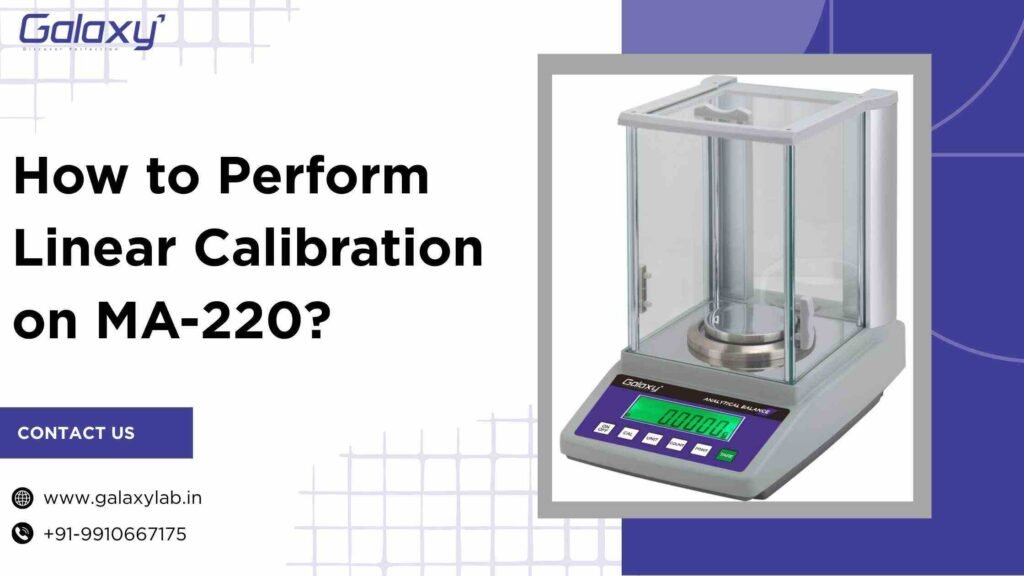
Linear calibration is a critical procedure to ensure accurate and reliable results from your MA-220 Analytical Balance. As a user, I’ve learned that proper calibration not only improves measurement precision but also extends the life and performance of the instrument. In this guide, I’ll walk you through how to perform linear external calibration on MA-220 Analytical Balance step by step, using simple language and practical tips that actually work in real laboratory conditions.
Understanding Linear Calibration on Galaxy MA-220 Analytical balance
Before diving into the process, it’s important to understand what linear calibration means. Linear calibration means adjusting a scale’s measurement at multiple points across its entire capacity range, ensuring the displayed values form a straight line (linear) relationship with the actual test weights.
Performing how to perform linear calibration on MA-220 at regular intervals helps prevent drift, improves repeatability, and ensures compliance with laboratory quality standards.
Why Linear Calibration Is Important
From my experience, skipping calibration can lead to inaccurate moisture results, which directly affects product quality and test reliability. Linear calibration is especially important when:
- The instrument is installed at a new location
- There are noticeable temperature changes
- Results start showing inconsistencies
- Routine quality control is required
Knowing how to perform linear calibration on Galaxy MA-220 helps maintain confidence in every measurement.
Preparation Before Calibration
Before starting the calibration process, always make sure the instrument and environment are ready. Proper preparation avoids errors during calibration.
Here’s what to check first:
- The Galaxy MA-220 is powered ON for at least 30 minutes
- The balance pan is clean and empty
- The instrument is placed on a stable, vibration-free surface
- Certified calibration weights are available
- Ambient temperature is stable
These steps make how to perform linear calibration on MA-220 Analytical Balance smoother and more accurate.
Step-by-Step: How to Perform Linear External Calibration on Galaxy MA-220 Analytical Balance
Now let’s get into the actual procedure.
Steps to Perform Linear Calibration
- Long press the ‘CAL’ key and wait for the display to show ‘CAL-E 200’
- Then place 200g standard weight in the center of the pan. After a few seconds the display will show 200.0000g. Now remove the standard weight.
- Long press the ‘CAL’ key and wait for the display to show ‘CAL-E 200’. Now short press the ‘CAL’ key again to change the display to ‘CAL-E E00’
- Then place 100g standard weight in the center of the pan. After a few seconds the display will show 100.0000g. Now remove the standard weight.
- Now the device is calibrated at both 200g and 100g and linear calibration is complete.
Common Mistakes to Avoid
Over time, I’ve noticed that calibration errors usually come from small mistakes. Avoiding these helps maintain accuracy.
Some common mistakes include:
- Using uncertified or damaged weights
- Touching weights with bare hands
- Calibrating in a drafty or unstable environment
- Rushing the stabilization time
- Skipping warm-up time
- Not keeping the weights in the center of the weighing pan
Being mindful of these issues makes how to perform linear calibration on Galaxy MA-220 Analytical Balance more reliable and efficient.
Best Practices for Long-Term Accuracy
To keep the MA-220 performing at its best, I follow a few best practices consistently.
- Perform linear calibration at regular intervals
- Store calibration weights properly
- Keep a calibration log for audit purposes
- Clean the pan and chamber frequently
- Avoid sudden temperature changes
These habits reinforce the value of knowing how to perform linear calibration on Galaxy MA-220 Analytical Balance properly.
Contact Us
Website: www.galaxylab.in
Phone No.: +91-9910667175
FAQs
1. How often should I perform linear calibration on Galaxy MA-220 Analytical Balance?
Ans. I recommend performing linear calibration whenever the instrument is relocated, after major temperature changes, or as part of a regular quality control schedule.
2. Can I use any weights for calibration?
Ans. No. Always use certified calibration weights that meet the accuracy requirements of the Galaxy MA-220 Analytical Balance.
3. What happens if linear calibration fails?
Ans. If calibration fails, I recheck the weights, environment, and pan cleanliness before repeating the process.
4. Is warm-up time really necessary?
Ans. Yes. Allowing proper warm-up ensures stable internal conditions and accurate calibration results.